pg881 APK: Install on Your Phone, Join a Table Right Away
The pg881 APK installer file sits on our own server: one tap to download, no app store involved. The latest build is 41 MB and runs on Android 7.0 and up.
No account yet? Once the install finishes, open the registration page. Back on your computer, you get into the same account through the login page.

Download the pg881 APK and file details
The file lives on our own server at a fixed link, with no middleman. Download it once and use that same file to install on another phone. If your device shows a different file name, stop and download again from this page.
| Item | Value |
|---|---|
| Version | 3.9.8 |
| File size | 41 MB |
| Minimum Android | 7.0 |
| Updated | 21/11/2026 |
| Cost | Free |
| Languages | Vietnamese / English |
Build 3.9.8 is for Android phones and tablets running 7.0 or later. On iPhone you don't install this file; use the add-to-home-screen steps in the section below.
Step-by-step Android install
-
Turn on install from unknown sources
Open Settings and find Security or Apps, then switch on the option that allows installs from outside the store. On Android 8 and later this permission is per-app, so pick the exact browser you used to download the file.
-
Tap the download button for the pg881 APK
Come back to this page and tap the Download APK button at the top or in the download section above. The progress bar runs until the full 41 MB is in. Stay on Wi-Fi if you're not on a big data plan.
-
Open the downloaded file in your Downloads folder
Pull down the notification shade and tap pg881.apk, or open your File Manager and go to Downloads. If the phone asks which app to open it with, choose the system Package Installer, not a photo viewer.
-
Confirm the install and wait a few seconds
The screen shows the app name and its permission list. Read through it and tap Install. It takes a few dozen seconds, and the power button may lock for a moment, so don't close out halfway or you'll start over.
-
Open the app and log in
The pg881 icon shows up on your home screen. Open it and enter the username and password you set up earlier. If you don't have one yet, fill in the form on the registration page first, then top up to play.
Add the icon on iPhone
iOS can't install APK files, since that format is Android-only. iPhone users still get the full experience by adding the site to the home screen: the icon sits on its own, and opening it takes you straight to the games lobby instead of loading a browser first.
-
Open the site in Safari
Use Safari, because Chrome on iOS doesn't offer the add-to-home-screen button. Type the homepage address and wait for the page to load completely.
-
Tap the Share button
The share icon with an arrow sits on the bottom bar. Scroll down the list until you see Add to Home Screen.
-
Give it a name and tap Add
Keep the name short so it's easy to find, then confirm. The icon shows up like a regular app and runs full screen.

On iPhone it runs in the browser but keeps you logged in, so you don't have to enter your password each time you open it.
What's inside the app
See the casino lobby
The app gathers every lobby into one selector bar along the bottom edge: slots, live dealer tables, fish shooting, card games and football betting. The catalogue holds around 3,000 titles from seven providers, including JILI, Pragmatic Play and Ezugi.
Football betting markets stay open all week, covering the V-League, the Premier League and European cups. Players who like a fast pace can try Crash and Tai Xiu, where each round lasts a few dozen seconds — handy while waiting for a ride or on a lunch break.
The smallest stake in the lobby is 1,000 ₫, and the largest reaches 50,000,000 ₫ on some slot games, so casual players and high rollers alike can find a table that fits.
- Encrypted connection
- Android 7.0 or later
- Vietnamese support 24/7
- MoMo · ZaloPay · VNPay
The app and the web version
Many people ask why they should install anything extra when the site still opens on a phone. The difference lies in how fast game tables load, how login is kept, and how much 3G data it uses. The table below compares both ways of playing on the same pg881 account.
| Criteria | APK app | Web version |
|---|---|---|
| How to open | Tap the icon on your home screen | Open the browser, type the address or use a bookmark |
| Time to reach game tables | Fast, no page reload | Depends on browser and network |
| Storage used | 41 MB | Negligible |
| Mobile data | Keeps the interface on hand, little reloading | Reloads every time you open a new tab |
| Login session | Remembered on the device, open and you're in | You may be logged out if browser data is cleared |
| Promo notifications | Yes, switch them on or off in the app settings | None |
| Updates | Download a new file when a release comes out | Automatic from the server |
| Best when | Play often, weak signal, or mostly on 3G | Little free storage or using an unfamiliar phone |
Both routes share one account, one balance and one bet history. Install it on your phone, then open your laptop in the evening and the same balance is there. If you only check odds now and then, the web version is enough; if you follow the betting board every night, the app saves you time.
Things to know before installing
Leave enough free storage
The file is 41 MB, but the phone needs extra room to unpack it during installation. Leave at least 150 MB free, otherwise the install stops midway with a memory error.
Download over Wi-Fi to be safe
3G or 4G works too, but a patchy signal easily leaves the file incomplete. If repeated downloads keep failing, switch to Wi-Fi and start again.
Download only from this site
The pg881 APK file link is fixed on our servers. Files sent by message or posted in chat groups are not released by us, so don't open them.
Keep the battery above twenty percent
Installing doesn't drain much battery, but a phone shutting down while files are being written can leave a broken package behind. Plug in if the battery is low, then tap install.
Uninstall the old version before installing the new one
If your phone is on version 3.9.8, there's nothing to do. If you're on an older version, uninstall it completely and install again to avoid conflicts — just remember to log back in afterwards.
Turn off unknown-source install permission afterwards
Once installed, go back to the security settings and switch off the option allowing your browser to install from unknown sources. The app already on your phone keeps working normally with that permission off.
Quick glossary of terms you'll see during installation
APK
The installation package for Android apps, bundling all code and resources into a single file. Android reads this file to install the app — iPhones cannot open this format.
Unknown sources
Any file that doesn't come from your device's official app store. Android blocks these by default, so you'll need to manually enable permission for each app.
Version 3.9.8
The current release version, last updated 21/11/2026. When the version number changes, just download the new file and install it over the old one — your account data stays intact.
Android 7.0
The minimum operating system version required to install the app. Devices running an older version will show an incompatibility error as soon as you open the file, even if storage space is sufficient.
Home screen
The main screen on your phone where app icons are displayed. On iPhone, adding the site here creates a shortcut so you can launch it instantly without typing the address each time.
Notification permission
Allows the app to display messages in your status bar. You can decline during installation and turn it on later in your device settings — it has no effect on gameplay.
Full-screen mode
When launched from an added shortcut icon, the browser's address bar hides and the game fills the entire screen. This method is used for iPhone since it doesn't support APK files.
Get the pg881 App on Your Phone
-
Instant deposit and withdrawal MoMo, ZaloPay and bank transfers land in under a minute on the app — same speed as the website, with fewer taps.
-
Full lobby in one place Football odds, live dealer tables, slots, fish shooting and Tai Xiu all load from the same bottom tab — no switching browsers.
-
Match alerts while you're away Turn on notifications and the app pings you before V-League kickoffs or when your withdrawal is confirmed.
-
Same account, same balance Log in with your existing pg881 details. Version 3.9.8 · 41 MB · Android 7.0+
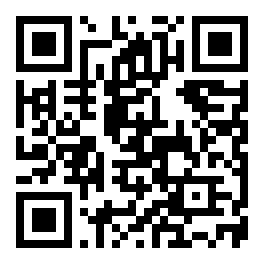
Scan on your phone camera to download
Questions About the pg881 APK
Downloading & Installing
Is the pg881 APK file safe to download?
Yes. The file is hosted on our own server at a fixed URL and is the same build we push to all Android users. If your browser or phone flags it as "unknown source," that is normal for any APK installed outside the Play Store — it means the file did not come from Google, not that it is harmful. Always download from the link on this page to make sure you have the official build.
My phone says "install blocked" — what do I do?
Android blocks APK installs by default to protect users. Go to Settings → Security (or Settings → Apps → Special app access on Android 8+) and enable Install unknown apps for your browser or file manager. Once the app is installed you can turn that permission off again if you prefer. The exact menu name varies by Android version and phone brand.
How much storage does the app use?
The installer is 41 MB. After installation the app takes around 55–70 MB on your device. Game data loads from our servers as you open each title, so it does not add to local storage. A stable Wi-Fi or 4G connection gives the smoothest experience.
Can I install pg881 on iPhone or iPad?
APK files only run on Android. On iPhone or iPad, open pg881.vu in Safari, tap the Share button, then choose Add to Home Screen. This places a shortcut icon that behaves like an app — full screen, no browser bar. You get the same lobby, the same account and the same deposit speed as the Android app.
Account & Payments
Do I need a separate account for the app?
No. Use the same username and password you created on the website. Your balance, bonus credit, VIP status and bet history are all shared between the app and the web version — they read from the same account.
Which payment methods work inside the app?
All five methods available on the website work in the app: MoMo, ZaloPay, VNPay, Bank Transfer (VietinBank, Vietcombank, Techcombank, MB Bank) and Mobile Top-up Card. Deposits arrive in about 1 minute and withdrawals process within 34 minutes. The minimum deposit is 150,000 ₫ and the minimum withdrawal is 250,000 ₫.
Will I still get the welcome bonus if I register through the app?
Yes. The welcome bonus applies to your first deposit regardless of whether you sign up via the app or the website. The first deposit bonus is 160%, up to 5,888,000 ₫, with a wagering requirement of 10×. Open the registration page from the app and complete your account to claim it.
How do I update the app when a new version comes out?
The app does not update automatically because it was not installed from a store. When a new build is released, revisit this page and download the latest APK. Install it over the existing app — your account data and settings are preserved. The current version is 3.9.8, updated 21 November 2026.